ISV settlements and margin
dpay Connect lets you not only manage merchant payments but also earn revenue from them. This section explains the commercial model from the partner's perspective. You agree the specific rates and cooperation terms with dpay.
One mechanism, two components
Your margin is calculated per payment method for every paid transaction using one formula:
ISV margin = (merchant rate - wholesale rate) + wholesale rate x revenue share (%)
The components are added together. Depending on your agreement with dpay, either one or both may be active:
| Component | Source | Your revenue |
|---|---|---|
| Markup | You set the merchant rate (MDR) within the limits agreed with dpay | The difference between the merchant rate and dpay's wholesale rate |
| Revenue share (rev-share) | An agreed percentage of dpay's wholesale fee generated by your merchants | A percentage of the wholesale rate |
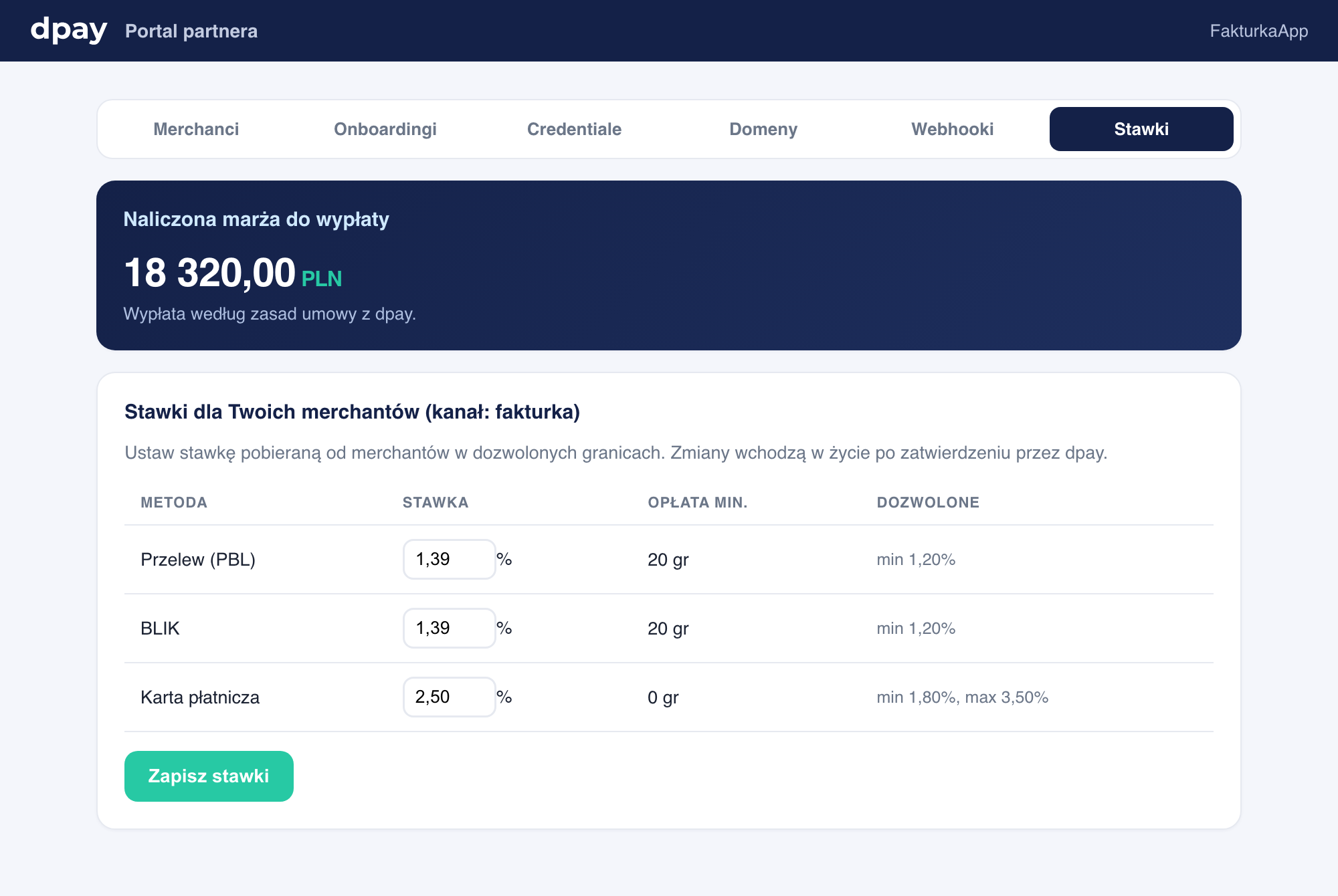
For each payment method, you set the rate charged to the merchant within the minimum and maximum limits agreed with dpay. Changes take effect after approval by dpay.
How your margin is calculated
For each paid merchant transaction:
- The merchant receives the transaction amount minus the merchant rate that you set.
- dpay retains the wholesale rate minus your revenue share.
- You receive the sum of both components: the markup above the wholesale rate plus the agreed percentage of the wholesale rate.
The split happens automatically when each transaction is settled. You do not need to post anything yourself. The margin accrues automatically and is added to your partner account.
The merchant always receives exactly the amount resulting from the merchant rate. Your margin comes from the fee portion, not the merchant's amount. The merchant sees one consistent rate.
Refunds and margin
When a transaction is refunded, the margin accrued for it is reversed symmetrically. In other words, refunding a payment removes that transaction's margin from your accrued balance. This keeps settlements consistent: you earn from transactions that are actually completed.
Your margin payout
The accrued margin is added to your partner account and shown in the portal as the "accrued margin available for payout." dpay initiates the margin payout according to your agreement. There is no automatic schedule or threshold that you control through the API. The partner_payout.paid and partner_payout.declined webhooks report the result.
Your margin is a separate flow independent of merchant balances. Merchant funds always remain theirs. Your margin is settled separately and never mixed with merchant funds.
Partner portal overview
The partner portal shows:
- the accrued margin available for payout (your current revenue amount),
- merchant rates, editable within the permitted limits, and revenue-share parameters,
- the merchant list and account statuses,
- the webhook log and delivery success rate.
Next steps
- On-behalf payments - the transactions on which your margin accrues.
- Partner onboarding - channel and rates.
- Webhooks - payment and payout events.