Iframe onboarding (widget)
This is the simplest option. With a few lines of JavaScript, you embed a ready-made, branded dpay onboarding widget in your page. The merchant completes the entire registration process (company details, bank account, verification, and agreement signing) without leaving your product.
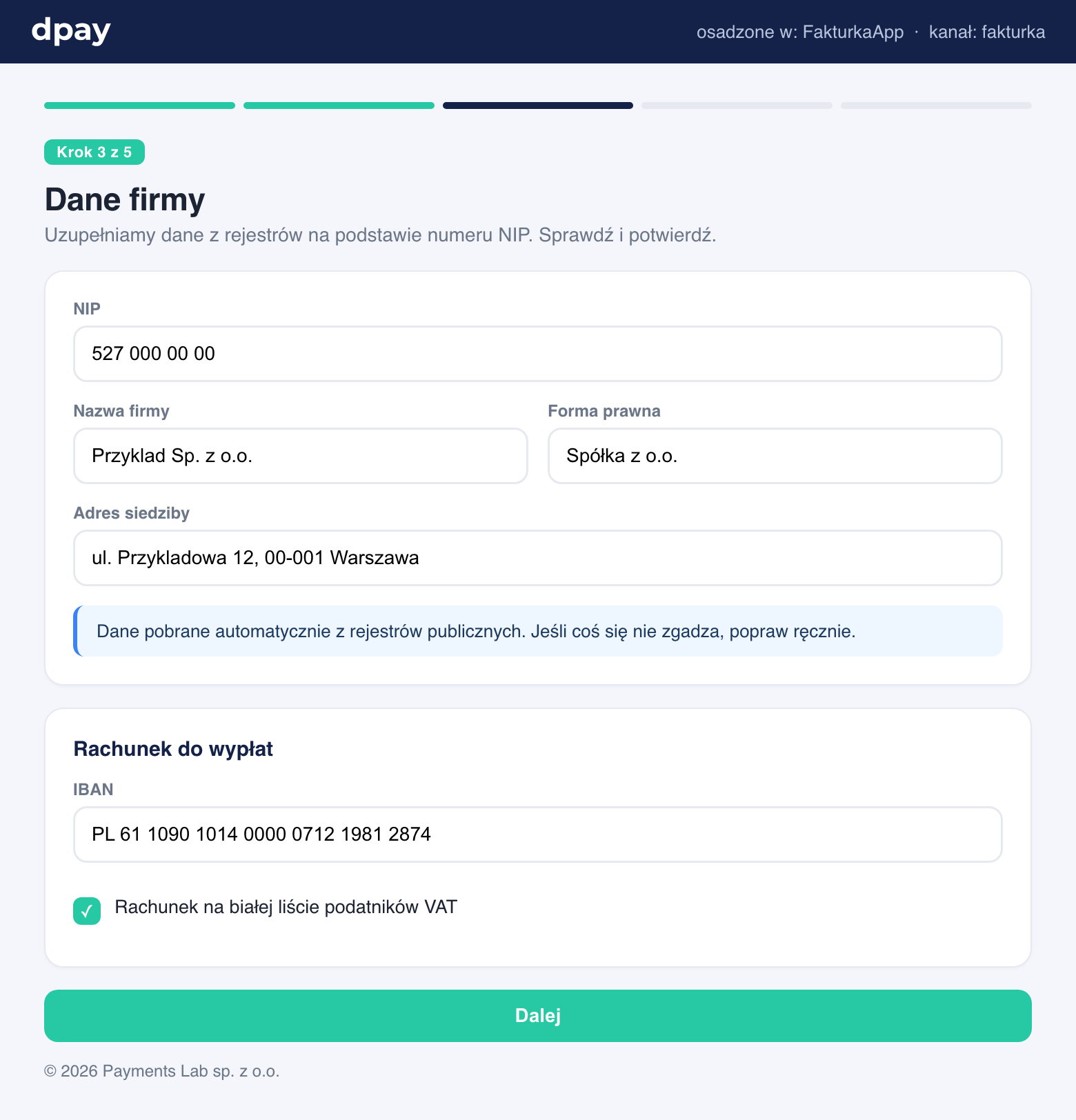
Quick start
Include the SDK and mount the widget in the chosen container. The first argument is a selector (or DOM element), and the second contains the options:
<div id="dpay-onboarding"></div>

<script src="https://panel.dpay.pl/sdk/dpay-onboarding-sdk.js"></script>
<script>
  const handle = DpayOnboarding.mount('#dpay-onboarding', {
    ch: 'fakturka',                // Your channel
    ref: 'invoice-customer-123',   // Your merchant reference (optional; see below)
    locale: 'en',
    onEvent: (e) => {
      console.log('dpay event:', e.type, e.payload);
    },
  });
</script>
That is all you need. The widget renders as an iframe pointing to the dpay-hosted onboarding flow. mount returns a { destroy() } handle. Call destroy() to remove the iframe and its event listeners, for example when navigating within an SPA.
mount(target, options) options
| Option | Required | Description |
|---|---|---|
ch | yes | Your onboarding channel (passed to the iframe as ?ch=). |
ref | no | Your ISV-side merchant identifier (up to 128 characters). It is returned in webhooks, status responses, and the completed event, making correlation easier. |
locale | no | Widget language (pl, en, ...). |
host | no | dpay base URL (the SDK script origin by default). It also defines the trusted postMessage origin. |
minHeight | no | Minimum iframe height in pixels before the first resize event (600 by default). |
loadTimeout | no | How many milliseconds to wait for the first ready event (20000 by default). After the timeout, an error event is emitted with reason: 'load_timeout'. |
onEvent | no | Callback invoked for every widget event. It receives a { type, payload } object (see below). |
refref is your own merchant key, such as the record ID in your database. dpay returns it in webhooks and onboarding status responses, so you know which of your users an event concerns without maintaining an additional mapping.
Events (postMessage)
The widget communicates with your page through postMessage. The SDK wraps these messages in the onEvent callback, which receives { type, payload }. React to events to update your UI.
type | payload | When | Typical response |
|---|---|---|---|
ready | - | The widget has loaded. | Hide your loading spinner. |
resize | { height } | The content height has changed. | None - the SDK adjusts the iframe height automatically. |
step_changed | { step } | The merchant moved to the next step. | Optionally display progress in your UI. |
completed | { ref } | Onboarding has finished (the account is active or under review). | Move the merchant to the next step in your product. |
cookies_blocked | - | The browser blocks third-party cookies. | The SDK renders a "continue in a new window" fallback automatically. You can also show guidance or switch to a redirect. |
error | { reason } | The iframe failed to load. reason is load_timeout or iframe_error. | Display an error and offer the redirect option. |
redirect_top | { url } | The flow must leave the frame and navigate the top-level window. | None - the SDK performs the redirect automatically. |
Example of handling completion:
DpayOnboarding.mount('#dpay-onboarding', {
  ch: 'fakturka',
  ref: 'invoice-customer-123',
  onEvent: (e) => {
    if (e.type === 'completed') {
      window.location.href = '/dashboard?onboarding=done';
    }
    if (e.type === 'error') {
      showFallbackToRedirect();
    }
  },
});
completedThe browser-side completed event is useful for UX, but it is not the source of truth. Always confirm the final account status on your server using a webhook or a status request. The user may close the tab just before the event is emitted.
Other SDK methods
The same SDK script also provides:
DpayOnboarding.mountResume(target, { token, ... })- embeds the hosted hand-off for onboarding created through the API, using the token fromnext_action.url.DpayOnboarding.mountAccount(target, { token, ... })- embeds the merchant's account frame, using the token returned by the frame mint endpoint.
Both methods accept the same options as mount (except ch, because the channel is derived from the token) and return the same { destroy() } handle.
Domains (CSP and framing)
The widget loads an iframe from https://panel.dpay.pl. If you use Content Security Policy, allow this domain:
frame-src https://panel.dpay.pl;
script-src https://panel.dpay.pl;
dpay must also know the domain on which you embed the widget. Provide it to the dpay team or add it in the partner portal, in the Domains section. This prevents your channel from being embedded on an unauthorised site. Without a registered domain, the iframe is rejected by the frame-ancestors header.
Third-party cookies
The widget runs in a cross-site iframe, so browsers that block third-party cookies by default require a single cookie to maintain the onboarding session. dpay uses a cookie-sharing mechanism for the entire onboarding group.
If the browser blocks cookies, the widget emits a cookies_blocked event and the SDK renders a "continue in a new window" fallback. Alternatively, switch the merchant to redirect onboarding, which does not require third-party cookies.
When to choose an iframe
- You want a ready-made, consistent dpay UI without building your own.
- You want the merchant to remain inside your product.
- You accept the dependency on third-party cookies, with a new-window or redirect fallback.
If you prefer full control over the UI, see API onboarding.