dpay Connect
dpay Connect is a Payments-as-a-Service platform for partners. If you are building a product in which your customers accept payments (an invoicing system, marketplace, platform for accountants, or fundraising system), dpay Connect lets you embed merchant onboarding and manage the merchant's account directly from your application.
Your customer (the merchant) does not need to leave your product for a separate dpay dashboard. Registration, payments, and payouts all take place in your product, while you manage the account through a simple API.
We refer to you as a partner or ISV (Independent Software Vendor). Examples include an invoicing system with payment links, a marketplace operator, a fundraising platform, or accounting software.
How it works at a glance
- The merchant registers in your product and completes the embedded dpay onboarding flow.
- After the merchant signs the agreement, you can register payments and, after the merchant opts in, request payouts on the merchant's behalf using a single partner key.
- dpay notifies you of every event by webhook (status change, payment, or payout).
- Sales proceeds go to the merchant's verified bank account. They never pass through you.
Model: the merchant owns the funds
dpay Connect uses a delegated model (similar to Stripe Connect Standard). This matters because it determines your responsibilities:
- The merchant is the merchant of record - the merchant sells to the end customer, completes KYC/AML verification, and receives settlements.
- Funds never pass through you. You initiate actions (register a payment or request a payout), but the money goes directly to the merchant's account.
- Payouts always go to the merchant's verified account. You do not provide a bank account number or amount. dpay uses the bank account on file for the merchant and pays out the entire available balance. You only decide when.
As a result, you do not become a payment institution and do not need a licence to hold customer funds.
Captive account: one account per partner
A merchant account created through your channel is captive to that channel and managed by you. The same company working with two different partners has two separate dpay accounts, each with its own balance, settlement, and agreement.
Three ways to onboard a merchant
Choose the approach that best fits your product. All three lead to the same outcome: an active merchant account linked to your channel.
| Method | When to use it | Implementation effort |
|---|---|---|
| Iframe (widget) | You want a ready-made, consistent dpay UI embedded in your product | Lowest |
| Redirect (hosted) | You prefer to redirect the merchant to a dpay-hosted flow | Low |
| API (headless) | You are building your own UI and submitting data in segments | Highest, with full control |
What you can do on the merchant's behalf
After receiving the merchant's delegation:
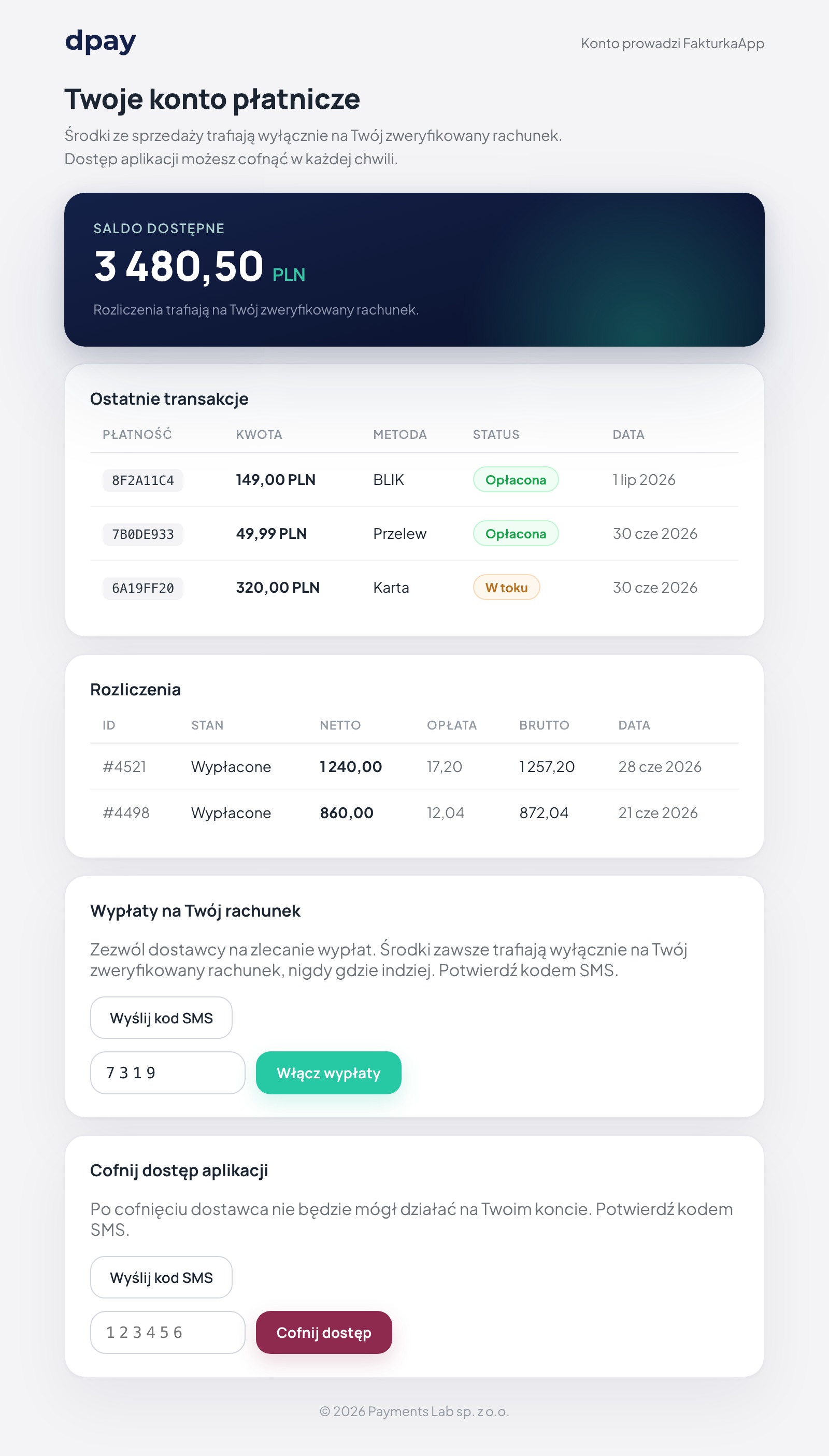
- Read account data - transactions, settlements, and balance, plus an embeddable account frame for the merchant.
- On-behalf payments - register payments (for example, an invoice payment link) on the merchant's behalf.
- On-behalf payouts - request a payout of the available balance to the merchant's bank account.
The permissions are determined by the scopes on your key AND the merchant's consent (delegation). The following sections explain both.
Getting started
- Contact dpay to become a partner and receive an API key (
dpk_...) and an onboarding channel. See Partner onboarding for details. - Choose how you want to onboard merchants (iframe, redirect, or API).
- Configure webhooks to receive events.
- Start onboarding merchants and managing their accounts on their behalf.
The partner API (onboarding, account access, and payouts) is available at https://panel.dpay.pl/api/partner/v1/.... The exception is on-behalf payment registration, which uses the standard registration endpoint on the payments domain at https://api-payments.dpay.pl. Embeds (iframe, account frame, and hosted flow) run on https://panel.dpay.pl. dpay provides the exact credentials when registering your partner account.
To get started, dpay can configure your partner account in sandbox mode. You can onboard test merchants and complete the entire flow, while payouts are simulated (the response contains simulated: true, and no real transfer is made). This is a safe environment for building and testing your integration before going live.